If your Android phone barely lasts until evening, you are not alone. In Pakistan, weak signals, hot weather, load-shedding and heavy WhatsApp, TikTok and YouTube use all drain batteries faster. The good news is that most battery problems are caused by settings and habits, not by a faulty phone, and a few changes can easily add several hours to your day.
This guide gives practical tips that work on most Android phones, including Samsung, Xiaomi, Infinix, Tecno, Oppo, Vivo and Google Pixel devices commonly used in Pakistan. Menu names may differ slightly between brands, but the steps are the same.
1. Find Out What Is Draining Your Battery
Before changing anything, check the real culprit. Go to Settings, then Battery, then Battery Usage. Your phone will show which apps and services used the most power in the last 24 hours. Often one or two apps, such as a social app, a game, or a poorly behaved app running in the background, are responsible for most of the drain.
If an app you rarely use is near the top of the list, restrict its background activity or uninstall it. Guessing wastes time. The battery usage screen takes ten seconds to read and tells you exactly where to focus.
2. Turn On Battery Saver and Adaptive Battery
Android has built-in tools that help without any extra app. Turn on Battery Saver in Settings, then Battery, when your charge drops below 20 percent, or leave it on all day if you need maximum life. Turn on Adaptive Battery if your phone offers it. This feature learns which apps you actually use and limits power for apps you rarely open.
Avoid third-party battery saver apps from the Play Store. Most of them show ads, request unnecessary permissions, and do not save more battery than Android’s own tools. Your phone’s built-in settings are safer and more effective.
3. Lower Screen Brightness and Screen Timeout
The screen is usually the biggest battery user. Turn off automatic brightness if it keeps your screen too bright indoors, and set brightness manually to a comfortable level. Set screen timeout to 30 seconds or one minute in Settings, then Display. A screen that stays on for five minutes after every use wastes a surprising amount of power over a day.
Use dark mode if your phone has an AMOLED screen, which most Samsung and many Xiaomi phones do. Dark mode saves real power on AMOLED screens, because black pixels use almost no energy. On LCD screens the saving is smaller, but dark mode is still easier on the eyes at night.
4. Stop Apps Running in the Background
Many apps keep running after you close them, checking for messages, location and updates. Go to Settings, then Apps, choose a heavy app, then Battery, and set it to Restricted or Optimised, unless it is a messaging, banking or ride app you need instantly. For apps such as games, shopping apps and news apps, restricted background use is safe and saves a lot.
Also turn off background data for apps you do not need constantly updated, and close apps properly instead of leaving dozens open. You do not need to close every app constantly, but a weekly clear-out of unused apps helps.
5. Fix Weak Signal and Location Drain
In areas with weak mobile signal, your phone uses extra power searching for a network. If you are in a low-signal area for hours, switch to Wi-Fi where available, or turn on aeroplane mode briefly when you do not need calls. Turn off mobile data when you are on Wi-Fi at home or office, so the phone does not keep both radios active.
Location services also drain power. Go to Settings, then Location, and set it to use location only while using an app, not all the time. Turn off Wi-Fi scanning, Bluetooth scanning and precise location for apps that do not need them. Keep GPS on only when you are actually navigating with Maps or a ride app.
6. Control Notifications, Sync and Auto-Play
Every notification wakes your screen and uses power. Turn off notifications for apps that do not need to alert you instantly, such as games, shopping apps and news apps. Keep notifications on only for calls, messages, banking and work apps.
Turn off auto-play for videos in Facebook, Instagram, TikTok and YouTube settings, and set video quality to 480p on mobile data. Auto-playing high-quality videos in a feed is one of the fastest ways to drain both battery and data. Set email and cloud apps to sync every hour instead of constantly, unless you need instant mail.
7. Charge the Right Way
How you charge affects battery health over months and years. Avoid letting your phone regularly drop to zero percent, and avoid keeping it at 100 percent on charge all night every night if you can. The healthiest habit for most users is to keep charge roughly between 20 and 80 percent for daily use.
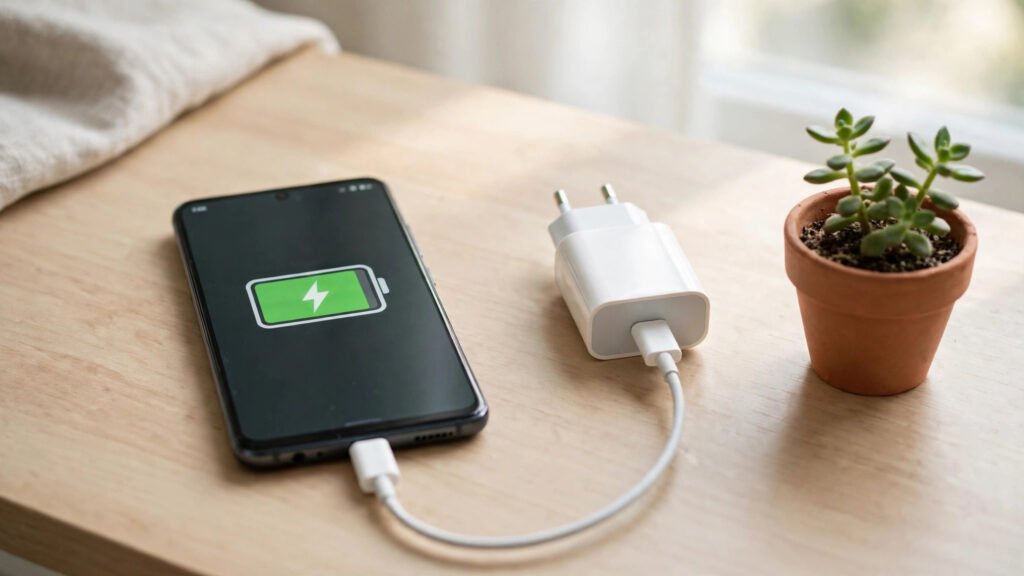
Use the charger that came with your phone, or a good-quality charger with the correct wattage. Cheap, unbranded chargers can charge slowly, heat the phone, and damage the battery over time. Avoid using your phone for heavy gaming while it is charging, because heat is the main enemy of battery health.
In load-shedding, charge when power is available and keep a power bank charged as backup. A power bank is especially useful for students, riders and shopkeepers who cannot plug in during the day. Choose a reputable brand and a capacity that matches your phone, rather than the cheapest option.
8. Heat, Summer and Battery Health
Pakistani summers are hard on batteries. Heat speeds up battery ageing, so avoid leaving your phone in a hot car, in direct sunlight, or on a charger under a pillow. Remove a thick case while charging if the phone feels hot, and let the phone cool down before charging after heavy gaming or outdoor use in summer.
If your phone gets hot during normal use, check battery usage for a misbehaving app, close heavy apps, and restart the phone. A phone that stays hot for hours usually has a software problem, not just a weak battery.
9. When a New Battery Makes Sense
If your phone is more than two or three years old, charges very slowly, switches off at 20 percent, or swells, the battery itself may be worn out. In that case, no setting will fully fix it. Get the battery checked at an authorised service centre or a trusted repair shop, and use a genuine or good-quality replacement. A swollen battery is a safety risk: stop using the phone and get it checked immediately, do not try to press it flat or charge it further.
Frequently Asked Questions
Does closing apps save battery on Android?
Closing a misbehaving app helps, but constantly closing every app can use more power, because reopening apps costs energy. Focus on restricting background use for heavy apps, rather than closing everything all the time.
Is it bad to charge my phone overnight?
Occasional overnight charging is fine on modern phones, which stop charging at full. For best long-term health, avoid keeping the phone at 100 percent for many hours every night, and avoid cheap chargers that cause heat.
Why does my battery drain faster in a weak-signal area?
Your phone uses extra power searching for and holding a weak network signal. Switching to Wi-Fi where available, or aeroplane mode when you do not need calls, reduces that drain.
Should I use a battery saver app from the Play Store?
Usually not. Android’s built-in Battery Saver and Adaptive Battery do the job safely. Many third-party saver apps show ads and request unnecessary permissions without saving more power.
Conclusion
Making your Android battery last longer in Pakistan is mostly about a few smart habits: check what is actually draining power, use Battery Saver and Adaptive Battery, lower screen brightness and timeout, restrict background apps, control location and notifications, and charge sensibly without excess heat. Do those things, keep a power bank ready for load-shedding, and your phone should comfortably last the day, without buying a new phone or an extra app.