A slow home internet connection in Pakistan is not always your internet package’s fault. Often, the router is the weak link: an old single-band device, placed in the wrong room, struggling to cover a concrete house with several phones, a laptop and a smart TV. Choosing the right router can improve speed, coverage and stability without changing your package. This guide explains what actually matters when buying a home WiFi router in Pakistan, without pushing any single model.
What a Router Actually Does
Your internet service provider brings a connection into your home, usually through a fibre, DSL or cable line. The router shares that connection wirelessly with your devices and manages traffic between them. Think of your internet package as the size of a water pipe into your house, and the router as the taps inside. A narrow, old tap will limit flow even if the main pipe is wide. Most homes in Pakistan receive a basic router or modem from their provider. These devices work, but they are often entry-level models chosen for cost, not performance. If your provider’s device is several years old, struggles with many devices, or leaves dead zones in your home, a better router can make a real difference. Before buying, check whether your provider allows you to use your own router, and whether you need a separate modem for DSL or fibre connections, because some setups require both.
Speed: What the Numbers Really Mean
Router boxes advertise speeds such as 300 Mbps, 1200 Mbps or 3000 Mbps. These are theoretical maximums under ideal lab conditions, not speeds you will see at home. Your actual speed is limited first by your internet package, then by walls, distance, interference and the number of devices connected. For most Pakistani homes, a router that comfortably handles your package speed is enough. If your package is 20 Mbps or 50 Mbps, you do not need a router rated for several gigabits. What matters more is stable performance when several people use the internet at once: video classes, YouTube, WhatsApp calls and browsing happening together. Look for a router with enough processing power to handle many devices without slowing down. Entry-level routers often struggle beyond ten connected devices, while mid-range models handle twenty or more comfortably. If your home regularly has many phones, tablets, laptops and smart devices connected, choose a model designed for multi-device use rather than the cheapest option.
Single-Band, Dual-Band and Coverage
WiFi works on two main frequency bands: 2.4 GHz and 5 GHz. The 2.4 GHz band travels further and passes through walls better, but it is slower and more crowded, because neighbours’ routers, Bluetooth devices and even microwaves use it. The 5 GHz band is faster and less crowded, but its range is shorter and it struggles more with thick concrete walls, which are common in Pakistani homes. A dual-band router, which offers both bands, is the sensible choice for most homes. Connect phones and laptops near the router to the faster 5 GHz band, and use the 2.4 GHz band for devices further away, such as a TV in another room or a smart device on a different floor. Many modern routers offer a single network name that automatically moves devices between bands, which is convenient for families who do not want to manage two networks. Coverage depends on your home’s size and layout. A single router in a small flat usually covers the whole home. In a larger house with several floors or thick walls, one router may leave dead zones. In that case, a mesh WiFi system, which uses two or three units working together, often works better than a single powerful router, because it spreads coverage evenly instead of blasting signal from one corner.
Features Worth Paying For, and Ones to Skip
A few features genuinely help Pakistani homes. Gigabit Ethernet ports matter if you connect a desktop computer, a gaming console or a smart TV by cable, because wired connections are faster and more stable than WiFi for video streaming and online classes. USB ports let you share a printer or a hard drive across the home network, though this is a bonus rather than a necessity for most families. Parental controls and guest networks are useful for families. A guest network lets visitors use the internet without accessing your home devices or seeing your main password. Basic parental controls let you limit children’s internet hours or block unsuitable sites, though they are not a substitute for supervision. Features to skip, unless you specifically need them, include extreme gaming modes, very high advertised speeds far above your package, and dozens of antennas promising unrealistic range. More antennas do not automatically mean better coverage, and marketing numbers often exaggerate real-world performance. Spend your budget on a reliable brand with local warranty and service support, rather than on flashy specifications.
Load-Shedding, UPS and Practical Placement
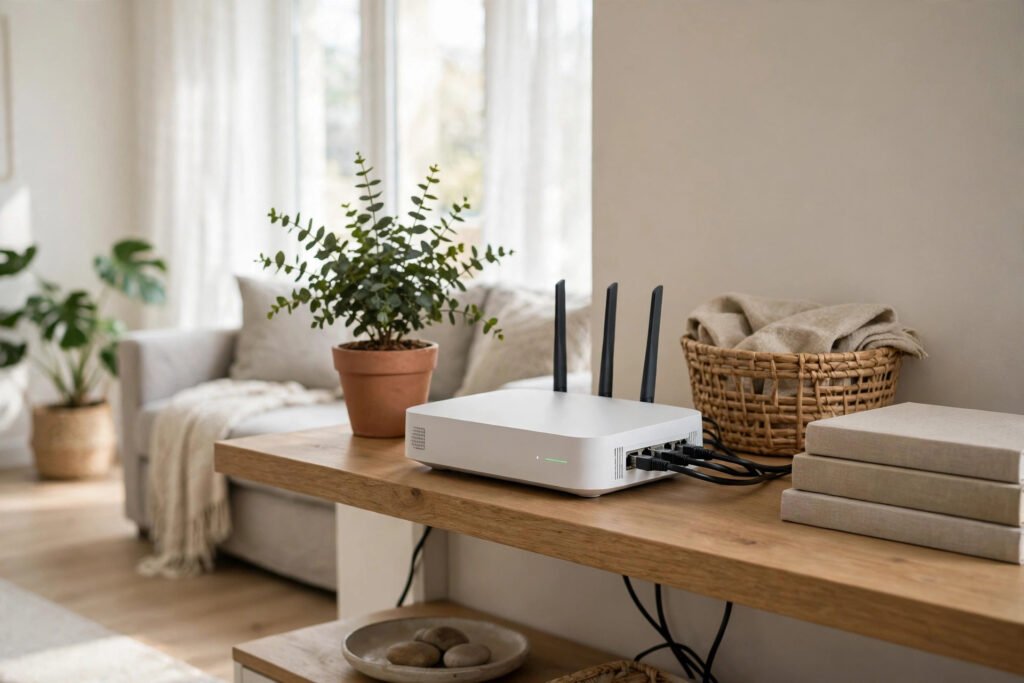
In Pakistan, load-shedding affects routers as much as any other device. When power goes out, your router restarts, and everyone loses connection until it reconnects. A small UPS for your router, or a router with battery backup, keeps the internet running during short outages, provided your provider’s connection itself stays up. This is especially valuable for students in online classes and people working from home. Placement matters as much as the router itself. Put the router in a central, elevated position, away from thick walls, metal cabinets and large appliances. Avoid placing it inside a closed cupboard or behind a television, because these block signal. If the router must stay near the entrance where the provider installed it, consider a mesh unit or a WiFi extender for distant rooms, but test placement first, because an extender placed too far from the router will only repeat a weak signal. Keep the router’s software updated. Manufacturers release firmware updates that fix security problems and improve stability. Check for updates every few months through the router’s settings page or app, and change the default admin password and WiFi password when you first set it up. A router left on factory defaults is an easy target for unauthorised access.
Buying Safely in Pakistan
Always check current prices from more than one trusted shop or website before buying, because prices change with currency rates and stock. Ask whether the router is new, sealed and officially supported, and what warranty it carries. A shop warranty from a small seller is weaker than an official brand warranty with a service centre in Pakistan, so ask clearly before paying. Avoid deals that look far cheaper than the market rate, because they may involve used, refurbished or smuggled stock without warranty. Test the router at home within the return period: check speed in each room, test video calls and streaming, and confirm that all your devices connect smoothly. Keep the box, receipt and warranty card safe, because you will need them if the device fails. Before buying, also confirm compatibility with your provider. Some fibre connections need a specific modem or settings, and your provider may need to configure the new router for you. A quick call to your provider’s helpline before purchase can save hours of frustration afterwards.
Frequently Asked Questions
Will a new router increase my internet speed beyond my package?
No. A router cannot exceed the speed of your internet package. It can, however, help you reach that package speed more consistently across your home, especially with many devices connected.
Is a mesh system better than a single router?
For small flats, a single good router is enough and cheaper. For large houses, multiple floors or thick concrete walls, a mesh system usually gives more even coverage and fewer dead zones than one router alone.
Should I buy a router from my internet provider or a shop?
Both are fine, provided the device is new and supported. Provider-supplied routers are convenient and preconfigured, while shop-bought routers often offer better performance and features for the same price. Compare specifications and warranty, not just price.
How long should a home router last?
A good home router typically lasts four to six years, though it may feel slow sooner if your household adds many devices or upgrades to a much faster package. Replace it when it regularly drops connections, cannot handle your device count, or no longer receives security updates.
Conclusion
The best WiFi router for a home in Pakistan is not the most expensive or the fastest on paper. It is a reliable dual-band router, from a supported brand, with enough capacity for your household’s devices, placed centrally and backed up during load-shedding. Check your package speed, your home size and your provider’s requirements before buying, test coverage in every room, and keep the software updated. Chosen this way, a good router turns a frustrating connection into a steady one, without changing your internet package at all.