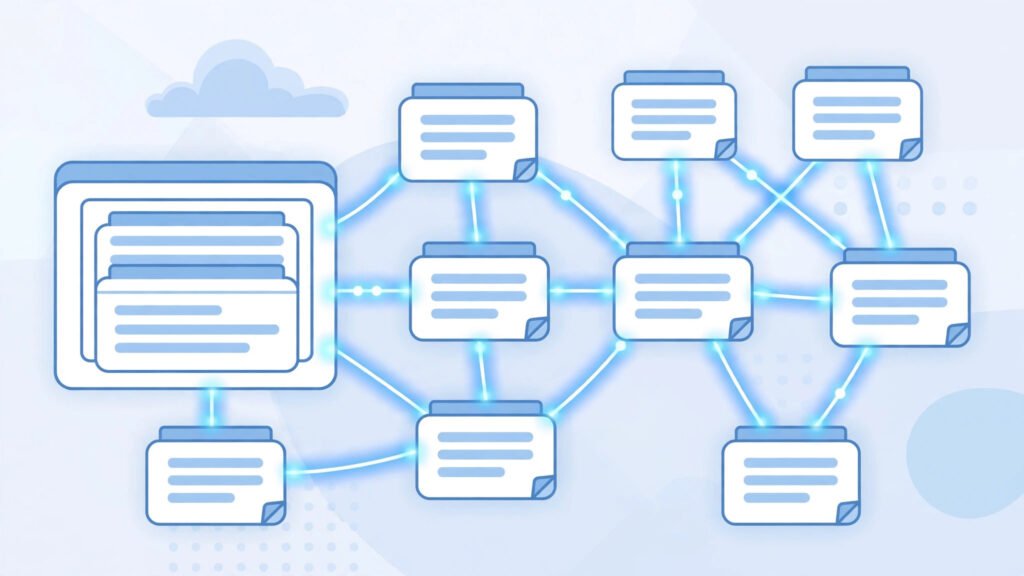
If you run a blog in Pakistan and you are publishing regularly but your older posts are not getting visitors, the problem may not be your writing. It may be that your articles are not connected to each other. Internal linking is the simple habit of linking one page of your own blog to another page of the same blog. It is one of the most underused ways to grow traffic without spending a single rupee on ads.
What Is Internal Linking?
Internal linking means adding a clickable link inside one of your blog posts that points to another post or page on the same website.
This is different from external linking, where you link to someone else’s website, and from backlinks, where other websites link to you. Internal links are completely under your control. You decide which pages to link, which words to use as the link text, and how many links each article should have.
Why Internal Linking Matters for Pakistani Blogs
Most Pakistani bloggers start with very little traffic and no budget for paid promotion. Internal linking helps in three practical ways.
First, it keeps readers on your blog for longer. A visitor who arrives from Google to read about mobile internet packages may also be interested in your guide to the best budget phones under fifty thousand rupees. One well-placed link turns a single page view into two or three.
Second, it helps Google discover and rank your pages. When Google visits your blog, it follows links to find new content. A new article that is linked from your homepage and from two or three older articles is far more likely to be found and indexed quickly than an article sitting alone with no links pointing to it.
How to Build an Internal Linking Strategy
You do not need expensive tools to start. You need a simple plan that you repeat for every article you publish.
1. Link From New Posts to Old Posts
Every time you publish a new article, think of two or three older articles that are related to it and link to them naturally inside the text. The link should feel helpful, not forced. If a reader would genuinely benefit from reading the older article, the link belongs there.
2. Link From Old Posts to New Posts
This is the step most bloggers forget. When you publish a new article, go back to two or three of your older, popular articles and add a link to the new one. This gives the new page an immediate boost and keeps your older content fresh.
3. Use Descriptive Anchor Text
Anchor text is the clickable word or phrase that carries the link. Avoid generic phrases such as “click here” or “read this”. Instead, use words that describe what the reader will find. For example, link the phrase “how to apply for a student scholarship in Pakistan” rather than the word “here”. Descriptive anchor text helps both readers and Google understand the linked page.
4. Build Topic Clusters
A topic cluster is a group of related articles connected to one main guide. Suppose your main guide is about starting a blog in Pakistan. Around it, you can write supporting articles about choosing a domain name, setting up WordPress, and writing your first post. Each supporting article links back to the main guide, and the main guide links out to all of them. This structure tells Google that you cover the topic properly, and it gives readers a clear path through your content.
5. Link to Your Most Important Pages
Not all pages are equal. Your money pages, your best guides, and the articles you most want to rank should receive the most internal links. If you have written a detailed guide that earns you the most traffic, make sure it is linked from your homepage, your sidebar, and several related articles.
How Many Internal Links Should an Article Have?
There is no fixed number, but a sensible guide for a blog post of around one thousand words is three to seven internal links. Too few and you waste the opportunity. Too many and the article looks messy and the reader gets distracted. Quality matters more than quantity. One relevant link that a reader actually clicks is worth more than ten links nobody notices.
Common Internal Linking Mistakes to Avoid
Many new bloggers make the same errors, and all of them are easy to fix.
One common mistake is linking to the same page with the same anchor text again and again. Vary your anchor text and only link to a page once per article unless there is a very good reason to repeat it.
Another mistake is linking to irrelevant pages. A link from an article about cricket to an article about cooking recipes confuses readers and search engines alike. Keep your links topically related.
A third mistake is forgetting to check for broken links. If you delete or change the address of an old post, every internal link pointing to it breaks. Check your links manually once a month, or use a free broken-link checker plugin in WordPress.
Finally, do not ignore your orphan pages. An orphan page is a page on your blog that no other page links to. Once a month, look for orphan pages and add at least one internal link to each of them from a related article.
Conclusion
Internal linking is free, simple, and fully in your control. It helps your readers discover more of your work, helps Google find and rank your pages, and makes your whole blog stronger over time. Start with your next article, link it to three older posts, and link back to it from two older posts. Repeat that habit every week, and over a few months you will see more page views per visitor and better rankings for the articles that matter most.
Frequently Asked Questions
How many internal links should I add to each blog post?
For a post of around one thousand words, three to seven internal links is a good range. Focus on relevance rather than hitting a number. Every link should lead somewhere the reader would genuinely find useful.
Does internal linking really help with SEO?
Yes. Internal links help Google discover new pages, understand the topic of each page, and decide which pages on your site are most important. They also reduce bounce rate by keeping readers on your site longer.
Should I link to my homepage from every article?
No. Your homepage is usually already linked from your logo and menu. Instead, link to related articles and important guides that readers would not otherwise find. Save homepage links for your main navigation.
Can too many internal links hurt my blog?
Yes, if they are irrelevant or excessive. Dozens of links in a short article look spammy and distract readers. Keep links natural, relevant, and limited to a sensible number.