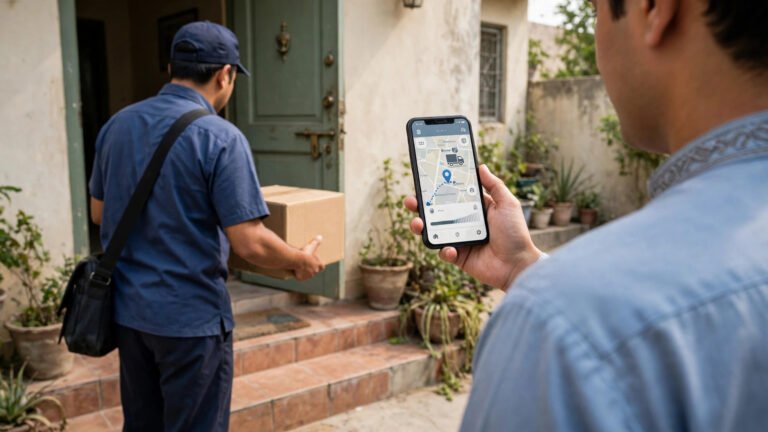
Buying a mobile phone online in Pakistan is convenient — you can compare prices, read reviews, and have the phone delivered to your doorstep. But it also carries risks: fake sellers, non-PTA phones, copied or refurbished devices sold as new, and warranty problems. A little knowledge before you pay can save you from an expensive mistake.
Step 1: Decide Your Budget and Needs First
Before browsing, decide how much you can spend and what you need the phone for. For daily use and social media, a mid-range phone with good battery life and a decent camera is usually enough. For gaming, look for a strong processor, plenty of RAM, and a high refresh-rate screen. For photography, prioritise camera quality and storage space. Setting a budget first stops you from overspending on features you do not need.
Step 2: Compare Prices Across Trusted Platforms
Never buy from the first listing you see. Prices for the same phone can vary between sellers and platforms, sometimes by a large amount. Check well-known Pakistani platforms and official brand stores, comparing the same model and storage size. If an online price is far below the market price, that is a warning sign, not a deal: genuine phones have a fairly stable market price, and a price that looks too good to be true usually is.
Step 3: The PTA and IMEI Check — The Most Important Step
What Is PTA Approval?
In Pakistan, every mobile phone must be registered with the Pakistan Telecommunication Authority (PTA) to work on local mobile networks. A PTA-approved phone works normally with any Pakistani SIM. A non-PTA phone may work for a limited time or not at all, and it can be blocked from local networks.
How to Check IMEI Before Buying
Every phone has a unique IMEI number — its identity number. Before you pay, ask the seller for the IMEI number. Then verify it yourself: send the IMEI by SMS to 8484, and you will receive a reply telling you whether the phone is PTA-approved, non-compliant, or blocked. If you cannot check before delivery, check it the moment the phone arrives — before you start using it or throw away the packaging.
PTA-Approved vs Non-PTA
A PTA-approved phone is registered and works on Pakistani networks — this is what you want. A non-PTA phone is not registered: it may stop working on local networks, and registering it later can involve tax and duty charges. Tax and duty rates change from time to time, so always check the current rates on the PTA or FBR website before buying a non-PTA phone. If the IMEI check says the phone is blocked, do not buy it at all.
Step 4: Check Warranty and After-Sales Support
A warranty is your protection if the phone develops a fault. Before buying, find out: is there a warranty, and for how long? Official distributor warranties in Pakistan typically cover one year, but always confirm the exact terms. Who provides it? A warranty from the official distributor or brand is far more reliable than a “shop warranty” from an unknown seller. Where can you claim it? Check for an authorised service centre in your city — a warranty is useless if the nearest centre is hundreds of kilometres away. Most warranties cover manufacturing faults, not physical or water damage. Ask the seller to confirm the warranty in writing before you pay.
Step 5: Buy From Trusted Sellers Only
Where you buy matters as much as what you buy. Safer options include the brand’s own website or its official store on a major platform, well-known e-commerce platforms with buyer protection, and authorised dealers listed by the brand. Before ordering, check the seller’s ratings and recent reviews. A seller with a long history and high ratings is far safer than a new seller with no reviews, even if the new seller is cheaper.
Step 6: Payment — Prefer Safe Methods
How you pay affects how much protection you have if something goes wrong. Cash on Delivery (COD) is available on many Pakistani platforms and lets you inspect the package before paying — always open the box and check the phone before handing over the money. Paying through a large platform’s own payment system usually gives you buyer protection and a clear refund path. Avoid direct bank transfers to unknown sellers: if a seller asks you to transfer money to a personal bank account or mobile wallet before delivery, be very careful, as this is one of the most common ways online phone scams work.
Step 7: Inspect the Phone on Delivery
When your phone arrives, do not rush. Check that the box is sealed and undamaged, with the correct model, storage, and IMEI printed on it. Dial *#06# and compare the IMEI with the box. Look for scratches or signs of use — a “new” phone should look new. Turn it on and test the screen, cameras, speakers, and charging port, and make a test call. Check that the charger and cable are in the box, and send the IMEI to 8484 to confirm PTA approval. If anything is wrong, contact the seller and the platform immediately, and keep the box and all packaging for a return.
Common Online Phone Scams in Pakistan
- Too-good-to-be-true prices: A flagship phone at half the market price is almost certainly a scam or a stolen device.
- Advance payment scams: A seller on Facebook or WhatsApp asks for full payment in advance and then disappears. Buy only through platforms with buyer protection, or use COD.
- Copy or clone phones: Phones that look like a famous brand but are not genuine. Buy from official or authorised sellers to avoid them.
Before ordering, read the platform’s return policy. Most large platforms allow returns within a few days if the phone is faulty, wrong, or not as described.
Frequently Asked Questions
How do I check if a phone is PTA approved?
Send the phone’s IMEI number by SMS to 8484, or check it on the PTA’s online verification system. The reply will tell you whether the phone is approved for use on Pakistani networks.
Is it safe to buy a non-PTA phone online?
It carries real risk. A non-PTA phone may stop working on local networks, and registering it later can involve tax and duty. Check the current tax and duty rates on the PTA or FBR website first, and factor that cost into the price before deciding.
Is Cash on Delivery safer than online payment?
Yes — COD lets you inspect the package before paying. Paying through a large platform’s own system is also safe because it usually includes buyer protection. Direct bank transfers to unknown sellers are the riskiest option.
Conclusion
Buying a mobile phone online in Pakistan can be safe and convenient if you follow the right steps. Compare prices, verify the IMEI through 8484, confirm the warranty in writing, buy from trusted sellers, and inspect the phone on arrival. The PTA check takes less than a minute, but it is the single most important thing you can do. A cheap phone that gets blocked from the network is no bargain at all.