A blurry, dark video feed can undo a good presentation, a job interview, or a student’s answer in an online class. In Pakistan, online classes, remote work, and freelance client calls have made a decent webcam a basic tool, not a luxury. You do not need the most expensive camera on the shelf, just the right one for your room, your light, your laptop, and your budget.
Why Your Built-In Laptop Camera Is Often Not Enough
Most laptops in Pakistan come with a built-in webcam, and for a quick call it will do. The problem is that many built-in cameras are small, fixed-focus lenses with weak low-light performance, so in a dim room the picture becomes grainy and the focus stays soft when you move. The angle is also fixed to the top of your screen, which can give an unflattering view from below. An external webcam usually has a larger sensor, a better lens, autofocus, and a microphone closer to your mouth, and you can place it at eye level.
Resolution and Frame Rate: What Matters
Resolution is the first number sellers quote, but it is not the whole story. A 720p webcam is usable for basic calls, but the picture can look soft on a large screen. A 1080p webcam, also called Full HD, is the sweet spot for most people in Pakistan. It works well on Zoom, Meet, Teams, and Skype without needing very fast internet. A 4K webcam is only worth it if you record videos or stream. Also check the frame rate: 30 frames per second looks smooth for talking and teaching.
Autofocus, Field of View, and Low Light
Autofocus is one of the most useful features in a webcam, and it is often missing from the cheapest models. A fixed-focus camera is sharp only at one distance, so if you lean in or lean back, you go out of focus. An autofocus webcam adjusts itself as you move. If you teach or present, choose autofocus. Field of view is the width of the picture. A narrow view, around 60 to 70 degrees, frames one person tightly and suits a solo student or a job interview. A wider view, around 90 degrees or more, can fit two people or show more of a room, which suits a teacher with a whiteboard. Low-light performance matters in Pakistani homes, where a room may have one ceiling bulb in the evening, so choose a webcam with a larger sensor and good low-light correction.
Microphone, Mounting, and Compatibility
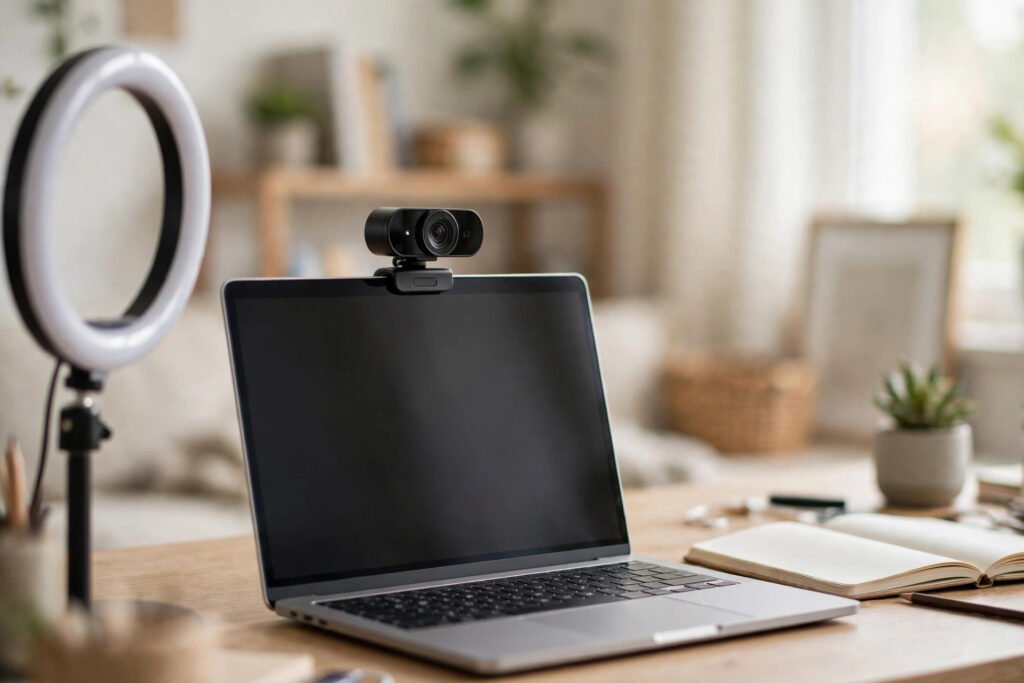
Most external webcams include a built-in microphone, and for short calls it is convenient: you plug in one cable and you are ready. The catch is that a microphone on top of your monitor picks up room echo, fan noise, and keyboard clicks along with your voice. If your room is quiet, a built-in microphone is fine. If you live near a busy road, share a room with family, or teach for hours, a separate headset or a small USB microphone will give clearer sound. A dual microphone with noise reduction handles background sound better than a single one, and a privacy shutter is worth having. Most webcams clip onto a laptop or monitor, and many also fit a small tripod. Connection is usually by USB, so check whether it uses USB-A, which fits most computers in Pakistan, or USB-C, which may need an adapter.
Choosing by Use: Classes, Meetings, and Teaching
Different uses call for different priorities. A student needs a reliable 1080p webcam with autofocus, a clear microphone, and a clip mount that stays put; 4K is an unnecessary expense. A job seeker or freelancer needs the sharpest, most natural picture they can get at a reasonable price, so good low-light performance and natural colour balance matter more than extra features. A teacher recording lessons needs autofocus, a steady mount, and a microphone that stays clear for a long period. A content creator or streamer is the one case where a 4K webcam or manual controls may be worth the extra cost.
Setting Up Your Webcam for a Better Picture
Even a good webcam looks bad in a bad setup, and even a basic webcam looks good with a little care. Start with light: sit facing a window or a lamp, so the light falls on your face, not behind you. A simple desk lamp behind your laptop, pointing at your face, can transform a grainy evening call. Next, set the height. Raise your laptop or webcam so the lens is at eye level; a stack of books under a laptop works well. Then tidy the background: a plain wall, a neat bookshelf, or a curtain is enough. Finally, test before an important call by opening your video app and checking the picture and sound.
Buying Tips for Pakistan
In Pakistan, webcams are available in computer markets in Lahore, Karachi, Islamabad, and Rawalpindi, as well as from online stores and marketplaces. Prices vary widely between shops, so compare at least two or three sellers before you buy, and be careful with very cheap unbranded models that promise high resolution at a very low price. Buy from a seller who offers a warranty and a clear return policy, and keep the box and the receipt. Check that the seal is intact and test the webcam on your own laptop before the return period ends. Avoid paying for features you will not use, such as 4K recording, if your only need is a daily class or meeting.
Frequently Asked Questions
Which webcam resolution is best for online classes in Pakistan?
For most students and teachers, 1080p at 30 frames per second is the best choice. It looks sharp on Zoom and Google Meet and costs far less than a 4K camera. Choose 720p only if your budget is very tight.
Do I need a separate microphone if my webcam has one?
Not always. A webcam microphone is fine for short, quiet calls, but if your room is noisy or you teach for long hours, a headset or a small USB microphone will give a clearer voice.
Can I use an external webcam with my laptop’s built-in camera?
Yes. Plug in an external webcam and choose it in the video settings of Zoom, Meet, Teams, or Skype. You can switch back to the built-in camera whenever you like.
What should I check before buying a webcam in Pakistan?
Check the resolution, autofocus, field of view, microphone quality, mounting style, and USB type. Buy from a seller with a warranty and compare prices from more than one shop.
Conclusion
The best webcam in Pakistan is not the most expensive one. It is the one that matches how you actually use it: a sharp 1080p picture, autofocus that keeps you clear, a microphone that suits your room, and a mount at eye level. Add good light, a tidy background, and a quick test before each important call, and even a mid-range webcam will make you look and sound professional.