You may have seen adverts for VPNs on YouTube, social media, or inside apps. They often promise privacy, security, and access to blocked websites. If you live in Pakistan and wonder what a VPN actually does, and whether you need one, you are not alone. The topic can sound technical, but the basic idea is simple. This guide explains VPNs in plain language: what they do, when they help, what they cannot do, the difference between free and paid options, and how to choose one safely.
What Is a VPN?
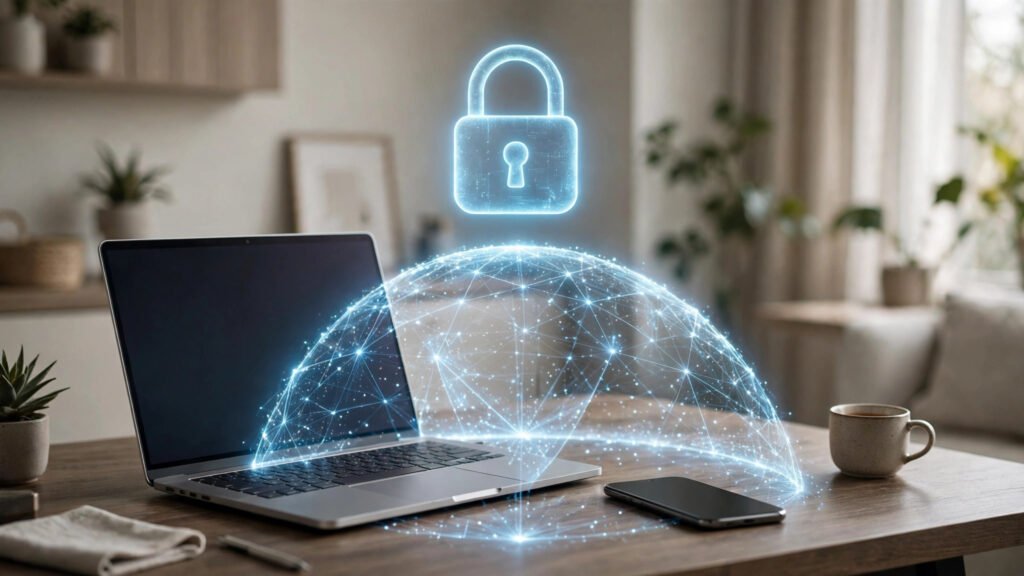
VPN stands for Virtual Private Network. It creates a secure, private connection between your device and the internet. Normally, your connection goes directly from your device to a website through your internet provider. With a VPN, it first goes through a secure server run by the VPN company, and only then to the website.
Think of it like sending a letter in a sealed envelope instead of on an open postcard. With a VPN, your connection is encrypted, which means the information is scrambled so it is much harder for others to read. A VPN also hides your real IP address, the number that identifies your device online. Websites see the VPN server’s address instead of your own, which makes it harder for them to track your location, although it does not make you completely invisible.
How a VPN Works
When you turn on a VPN app, three things happen. First, the app encrypts your traffic. Second, it sends that traffic through one of the VPN company’s servers, which may be in Pakistan or another country. Third, the website you visit sees the server’s location rather than your real location.
When a VPN Can Help
A VPN is most useful in a few specific situations.
Using Public WiFi
Public WiFi in cafes, hotels, airports, and malls is convenient but less secure than your home connection. Other people on the same network may be able to see what you are doing. A VPN encrypts your connection, making it much harder for someone on the same WiFi to snoop. If you often work or bank online from public places, a VPN adds useful protection.
Protecting Your Privacy
Your internet provider and the websites you visit can collect information about your browsing. A VPN reduces how much they can see. It does not stop all tracking, because websites can still use cookies and account logins to recognise you, but it makes basic tracking harder.
What a VPN Cannot Do
VPNs are often advertised as if they solve every online problem. That is not true. A VPN does not protect you from viruses or malware. You still need antivirus software and safe browsing habits. It does not make a scam website safe. If you enter your password or bank details on a fake website, a VPN will not protect you.
A VPN does not make you anonymous. Your provider can still see your activity unless it has a strict no-logs policy, and websites can still recognise you if you are logged in. It also does not hide your identity if you break the law. A VPN does not always make your internet faster either. It can slow your connection, because traffic travels further through an extra server. A good VPN keeps this slowdown small, but a poor one can make browsing noticeably slower.
Free vs Paid VPNs
Many people in Pakistan search for free VPNs first, and that is understandable. But free VPNs carry real risks. Running a VPN costs money: servers, staff, and software must be paid for. If a VPN is completely free, the company must earn money another way. Some free VPNs show adverts, limit speed or data, or offer few server locations. Others have been found to collect and sell user data, which defeats the purpose of using a VPN for privacy.
How to Choose a VPN
Look for a provider with a clear no-logs policy, meaning it promises not to record your browsing. Check that it uses strong encryption, which is standard for reputable services. Look for servers in Pakistan or nearby countries if speed matters, because a closer server is usually faster.
Read recent reviews from trusted technology websites, not just app store reviews. Check that the VPN works on all your devices, and whether it offers a money-back guarantee or free trial so you can test it first. Avoid providers that promise to make you completely anonymous or to unblock every service in the world. No VPN can guarantee those things.
Simple Setup Steps
First, download the official app from the Google Play Store, Apple App Store, or the provider’s official website. Do not download VPN apps from random websites or links shared in messages. Second, create an account and sign in. Third, choose a server location: close to Pakistan for the fastest speed, or another country if you want to appear there. Fourth, tap connect and wait for confirmation. You can then use the internet as normal.
When finished, disconnect if you no longer need the VPN, especially if it slows your connection. Some apps have a kill switch, which blocks your internet if the VPN drops. Turn it on in settings if it is available.
Practical Tips for Users in Pakistan
Only use a VPN when you need one, mainly on public WiFi, when travelling, or when privacy matters for a specific task. Keep the app updated, use a strong password, and do not share your login. Some apps may not work while a VPN is running; if one stops working, try disconnecting or switching servers. A VPN is only one part of staying safe online: use strong, unique passwords and two-factor authentication where available.
Frequently Asked Questions
Should everyone in Pakistan use a VPN?
No. A VPN suits specific situations, such as public WiFi, remote work, and privacy. If you mainly browse at home on a trusted network, you may not need one.
Is using a VPN legal in Pakistan?
VPN use for legitimate purposes, such as privacy and secure work, is common in Pakistan, but rules can change. Check current local guidance and use a VPN responsibly and lawfully. This guide is general information, not legal advice.
Will a VPN make my internet faster?
Usually not. A VPN can slow your connection slightly because traffic goes through an extra server. If speed is your main concern, a VPN is not the solution.
Can a free VPN be trusted?
Some limited free versions from reputable companies are reasonably safe for light use. Unknown free VPN apps can collect your data or contain malware, so research the provider first.
Conclusion
A VPN is a useful tool, not a magic solution. It encrypts your connection, hides your IP address, and adds privacy on public WiFi, but it does not protect you from scams, viruses, or all tracking. If you decide to use one, choose a reputable provider, understand its limits, and use it when it genuinely helps. With the right choice and sensible habits, a VPN can be a helpful part of staying safer online in Pakistan.