Introduction
You do not need an expensive camera or a computer to make your photos look great. A good photo editing app on your phone can fix dull colours, remove distractions, brighten a dark selfie and prepare a shop photo for Facebook or WhatsApp in minutes. In Pakistan, where most photos are taken on phones and shared instantly, the right editor saves time and makes a real difference. This guide covers the best photo editing apps for Android and iPhone users in Pakistan, what each one is best at, and how to choose without paying for features you will never use.
What Makes a Good Photo Editor?
A good editor starts with the basics done well: cropping, brightness, contrast, colour and sharpness. If an app cannot fix a dark photo or straighten a tilted picture quickly, its fancy filters do not matter. Look for an app that opens fast, saves in good quality, and does not shrink your photo so much that it looks blurry when printed or posted. Speed matters on Pakistani mobile data and budget phones. Heavy apps that need constant internet or a lot of storage will frustrate you. Choose an editor that works offline for basic edits, so you can edit during load-shedding or weak signals and share later when the connection returns.
Best Free All-Round Editors
For most people, a free all-round editor is enough. These apps offer cropping, filters, colour adjustment, text and stickers in one place. They suit family photos, event pictures, food photos for a home business, and social media posts. Start with the editor already on your phone. Both Android and iPhone include capable built-in editors in their gallery or Photos app, and they handle everyday fixes without any download. If you want more, add one well-known free editor with a large user base and regular updates, rather than installing five similar apps that fill your storage. When trying a free app, check what is actually free. Some apps advertise themselves as free but lock basic tools, such as removing objects or saving in high quality, behind a subscription. Test the free version for a week on real photos before paying anything.
Best Apps for Portraits and Selfies
Portrait photos need gentle editing. The goal is to look like yourself on a good day, not like a different person. Good portrait editors offer skin smoothing that can be adjusted, teeth whitening used lightly, background blur, and lighting fixes for harsh sunlight. The biggest mistake is over-editing. Heavy smoothing removes natural skin texture and makes photos look artificial, especially in prints and profile pictures. Use portrait tools at half strength first, then compare with the original. If family members cannot recognise you easily, you have gone too far. For wedding and family event photos, a portrait editor with batch or preset options saves hours. Create one preset you like for indoor yellow lighting and one for outdoor daylight, then apply them consistently instead of editing every photo from scratch.
Best Apps for Shop and Business Photos
If you sell clothes, food, perfumes or handmade items online in Pakistan, your photos are your shop window. Customers cannot touch the product, so clear, honest photos build trust and reduce returns. A business photo editor should offer background removal or clean-up, brightness correction for indoor shop lighting, and simple text for prices or offers. Take photos near a window in daylight where possible, keep the background plain, and edit only to show the true colour of the product. Over-saturated photos that make a fabric look brighter than it really is lead to complaints and returns. Save two versions when needed: a high-quality version for your catalogue or website, and a smaller compressed version for WhatsApp, where large files send slowly on weak connections. Always keep the original photo untouched, so you can re-edit later if a platform changes its size requirements.
Best Apps for Creative and Advanced Editing
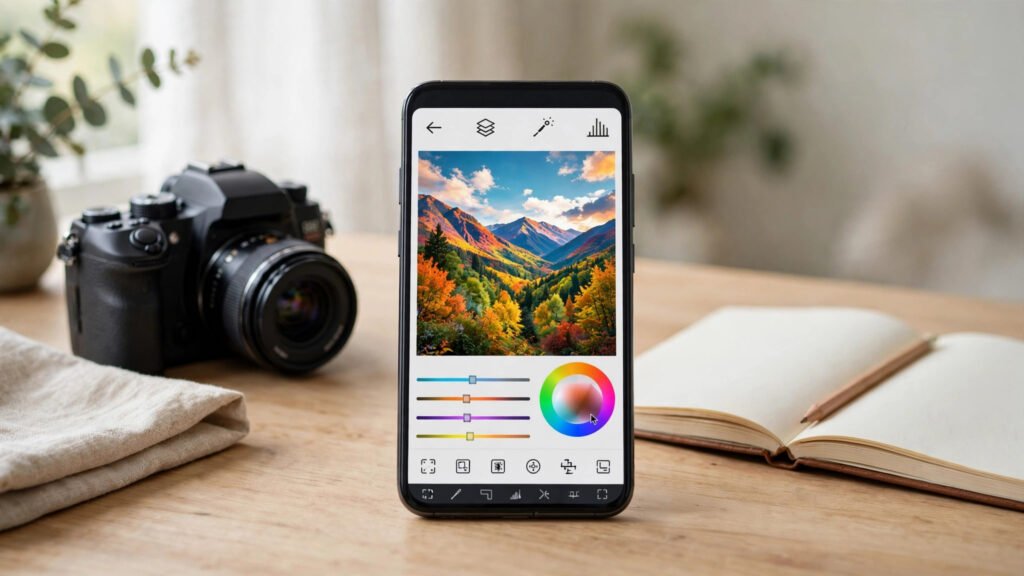
If you enjoy photography as a hobby, or you create content for YouTube, TikTok or a blog, you may want more control. Advanced editors offer layers, selective adjustments, curves, and precise colour tools. They take longer to learn, but they let you fix one part of a photo, such as a dark face against a bright sky, without changing the whole picture. Do not jump to an advanced editor on day one. Learn the basics first: exposure, cropping and colour. Once those feel natural, add one advanced tool and learn it properly. Watching a few short tutorials in Urdu or English on that single app is more useful than installing many apps you never master. For video creators, note that most photo editors do not edit video well. Keep photo and video editing separate, and choose a dedicated video editor for reels and vlogs instead of forcing a photo app to do both jobs badly.
Storage, Data and Privacy Tips
Photo editing apps can fill storage quickly, especially if they save a copy of every edit. Delete failed edits regularly, move finished photos to Google Photos, Drive or a memory card, and keep only the originals you truly need on the phone. Check permissions before installing any editor. An editor needs access to your photos, but it does not need your contacts, location or call history. Be cautious with apps that demand broad permissions or insist on uploading every photo to their servers. Prefer apps from well-known developers with clear privacy policies, and avoid modified or cracked versions from random websites, which often carry malware. On mobile data, turn off automatic cloud backup for edited photos until you are on Wi-Fi, or your package may finish early. Edit offline, then upload once on a stable connection.
How to Choose the Right App for You
Ask yourself three questions. First, what do I edit most: family photos, selfies, shop products or creative work? Second, is my phone a budget model with limited storage, or a newer phone that handles heavy apps easily? Third, do I want to pay, or must the app be genuinely free? A student sharing class event photos needs a fast free editor. A boutique owner needs reliable background and colour tools. A content creator needs presets and advanced controls. There is no single best app for everyone, only the best app for your daily use.
Frequently Asked Questions
Which photo editing app is best for beginners in Pakistan?
Start with your phone’s built-in editor, then add one popular free all-round editor. This covers everyday fixes without cost, storage problems or a steep learning curve.
Are free photo editing apps really free?
Many are free for basic tools but charge for premium filters, object removal or high-quality export. Test the free version on real photos before subscribing, and cancel any trial you do not intend to keep.
How can I edit photos without losing quality?
Always edit a copy and keep the original. Export at the highest quality the app allows for important photos, and only compress copies meant for WhatsApp or quick sharing.
Can I edit photos offline in Pakistan?
Yes. Most editors handle cropping, colour and filters offline. You only need internet for cloud features, downloading new filters, or backing up finished photos.
Conclusion
The best photo editing app in Pakistan is the one you actually use: fast on your phone, honest about its free features, and strong at the edits you do every day. Start with your built-in editor, add one trusted app for your main need, learn its basics properly, and protect your storage and privacy along the way. Good editing is not about dramatic filters; it is about clear, natural photos that show your family, your work and your products at their best.