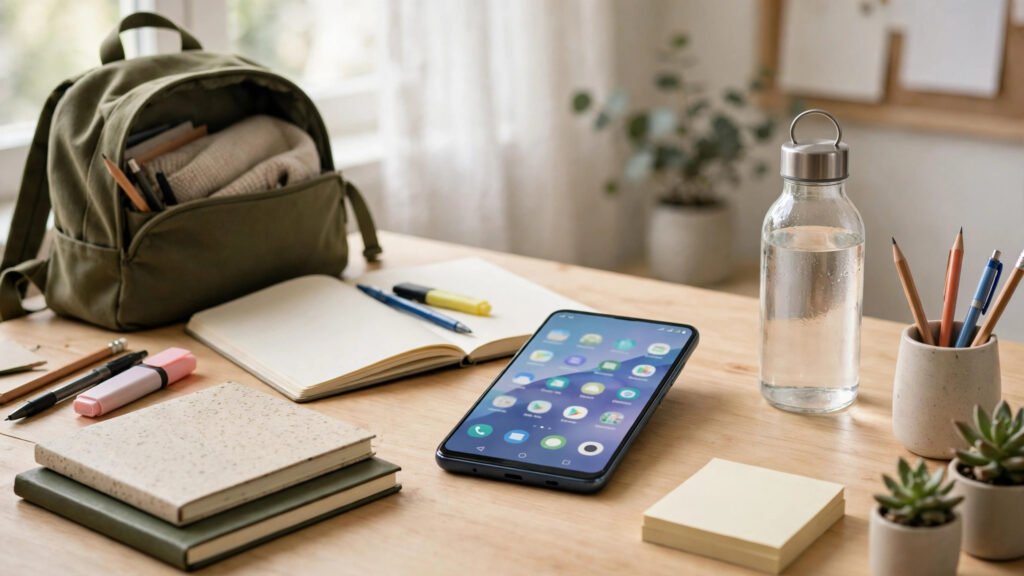
A smartphone can be a distraction or a study partner. The difference is often just the apps you install. For students in Pakistan, from matric and FSc to university and exams such as MDCAT and CSS, the right free Android apps can help you plan revision, take better notes, remember more, and stay focused without spending a rupee.
How to Choose the Right Study Apps
Before you download ten apps at once, pause. The best study system is a small one you actually use. Look for apps that work offline or with low data, because internet access can be unreliable during load shedding or in hostels. Choose apps with a free version that is genuinely useful, not just a trial that locks every feature. Check app size and battery use too, because many students use budget phones with limited storage.
A good rule is to pick one app for each job: one for planning, one for notes, one for flashcards, one for focus, and one for reading. If an app does several jobs well, even better. Delete anything you have not opened in two weeks. A tidy phone is easier to study with than a cluttered one.
Best Apps for Planning and Time Management
Google Calendar and Todoist
Google Calendar is free and already on most Android phones. Use it to block study time, set reminders for deadlines, and plan your revision week. It syncs with your Google account, so your timetable stays safe if you change phones.
Todoist is a clean to-do list app with a generous free plan. Create a project for each subject, add tasks with due dates, and tick them off as you finish. Use it to break a big topic into small steps, such as “Revise Chapter 5” and “Solve 20 MCQs”.
Forest
Forest turns focus into a game. You plant a virtual tree when you start studying, and if you leave the app to scroll social media, the tree dies. Over time you grow a forest that shows how much focused time you have built up. The free version is enough to start, and it works well for students who struggle with phone distraction.
Best Apps for Notes and Organisation
Google Keep
Google Keep is ideal for quick notes, checklists and ideas. You can save a formula or definition in seconds, add a photo of a whiteboard or textbook page, and set a reminder. It syncs across devices, so a note on your phone appears on your laptop too. Use colour labels for subjects, for example blue for Physics and green for English.
Notion and Microsoft OneNote
Notion is a powerful free app for students who want everything in one place. You can build a study dashboard with timetables, notes and exam trackers. It takes a little time to learn, but the free plan is generous for individual students.
OneNote is a free digital notebook with sections and pages. You can type, handwrite, record audio, and paste images from lectures. It syncs with a free Microsoft account and works well on phone and computer.
Best Apps for Flashcards and Memory
AnkiDroid and Quizlet
AnkiDroid is the free Android version of Anki, a flashcard app based on spaced repetition. It shows you a card again just before you are likely to forget it. You can make your own cards for vocabulary, formulas or MCQs, or download shared decks. It works fully offline, perfect for revision on a bus, in a hostel, or during load shedding.
Quizlet is another popular flashcard app with a large library of shared study sets. You can search for sets made by other students, test yourself with matching games and quizzes, and track your progress. The free version covers the core features most students need, especially for subjects with lots of definitions.
Best Apps for Reading and Learning
Google Docs, Drive and Khan Academy
Google Docs lets you write assignments on your phone, and Drive gives you free cloud storage for notes, past papers and PDFs. If your phone is lost, your work is still safe. Share a document with a classmate for group study.
Khan Academy is completely free and covers maths, science and computing with short video lessons and practice questions. It is excellent for clearing basic concepts in Physics, Chemistry, Biology and Maths.
Best Apps for Focus
Digital Wellbeing is built into most Android phones. Use it to see how much time you spend on each app, set daily timers for social media, and turn on Focus Mode during study hours. When Focus Mode is on, distracting apps are paused. It is free and already installed, so it is the easiest place to start.
The Pomodoro technique means studying for 25 minutes, then taking a five-minute break, and repeating. Free timer apps such as Focus To-Do combine a Pomodoro timer with a task list. This method helps you start, which is often the hardest part, and prevents burnout during long revision before exams.
A Simple Daily Study System
- Morning: check Google Calendar and Todoist, and pick three main tasks.
- Study blocks: use a Pomodoro timer for 25-minute focused sessions, with short breaks.
- Notes: write key points in Google Keep or OneNote during class, then tidy them in the evening.
- Revision: spend 20 minutes on AnkiDroid flashcards before bed, reviewing the day’s work.
- Weekly review: on Sunday, look at what you finished and plan the next week.
- Phone rules: keep your phone on silent and turn on Focus Mode during study.
Frequently Asked Questions
Which free Android app is best for taking notes?
Google Keep is best for quick notes and reminders, while Microsoft OneNote is best for detailed lecture notes. If you want a full study dashboard, try Notion. Choose the one that matches how you study, and stick with it.
Can I study effectively using only free apps?
Yes. The apps in this guide have free versions that cover planning, notes, flashcards, reading and focus. Paid features are useful but not essential. What matters more is a regular routine and honest revision.
How do I stop my phone distracting me while I study?
Use Digital Wellbeing or Focus Mode to pause social media, set app timers, and try the Pomodoro technique. Keeping your phone face down or in another room during a 25-minute session also helps a lot.
Are these apps safe and free to download in Pakistan?
Yes, all the apps listed here are available on the Google Play Store in Pakistan with free versions. Download them only from the Play Store, avoid modified APK files from unknown websites, and check permissions before you install.
Conclusion
You do not need an expensive phone or paid subscriptions to study well. With a few free apps, a simple daily system and a little discipline, your phone can become a genuine study tool. Start small: pick one planning app, one notes app and one flashcard app, and use them daily for two weeks. The best app is the one you actually open when it is time to study.