Introduction
Buying a computer is a big expense for most households in Pakistan, and a laptop and a desktop PC suit very different lives. A laptop goes wherever you go; a desktop usually gives more power for the same money and is easier to upgrade later. There is no single right answer — it depends on how and where you work, whether you travel, and what you can spend now and later.
Portability: Where Will You Use It?
This is the simplest question, and often the deciding one.
If you are a student, a laptop is almost essential: you can carry it to lectures, the library and a hostel room and work anywhere. Freelancers working from cafes or a client’s office need the same freedom. A desktop, by contrast, stays in one place — ideal for a home office, a shared family computer, or a shop where the machine never moves. Ask yourself: in the last month, how often did you need a computer away from your desk? If rarely or never, a desktop deserves serious consideration; if often, a laptop is the practical choice even if a desktop offers slightly better specifications for the price.
Performance for the Price
For the same budget, a desktop PC generally delivers more performance. Desktop parts are larger, easier to cool and cheaper to produce than the compact parts squeezed into a laptop. That means a desktop can run heavier software, handle more browser tabs and multitask more smoothly than a laptop at a similar price.
This matters most for video editing, 3D design, large programming projects and gaming. A desktop’s better cooling also sustains high performance longer without slowing down in heat — a real advantage in Pakistan’s hot summers. That said, most everyday tasks (documents, spreadsheets, online classes, browsing) run perfectly well on a mid-range laptop. If that is your work, do not buy power you will never use; spend the saving on more memory or a better screen, which you will notice every day.
Upgrades and Repairs
A desktop wins clearly on upgrades and repairs. You can usually add more RAM, swap in a larger or faster storage drive, replace the graphics card or upgrade the power supply without replacing the whole machine. Parts are widely available in computer markets across Pakistan, and a local technician can usually fit them quickly and affordably.
Laptops are much harder to upgrade. In many models only the storage can be changed, and sometimes not even that. RAM is often soldered in place on slim models. If a laptop’s screen or keyboard fails, repair can be expensive and may need specific parts ordered from elsewhere.
A desktop bought today can be improved piece by piece over several years, spreading the cost. A laptop is closer to a fixed package: what you buy is largely what you keep until you replace the whole machine.
Power Cuts and Load-Shedding
Electricity is a practical factor that buyers outside Pakistan rarely consider, but it matters here.
A laptop’s built-in battery means a power cut does not interrupt work immediately: you can save files and shut down gracefully, or keep working for a while. For students and freelancers facing deadlines, that buffer is valuable. A desktop stops the moment power goes; protecting it needs a UPS, which adds cost and still only gives a short window to save and shut down. If your area faces frequent load-shedding and you cannot afford a good UPS, a laptop is the safer choice.
Screen, Keyboard and Comfort
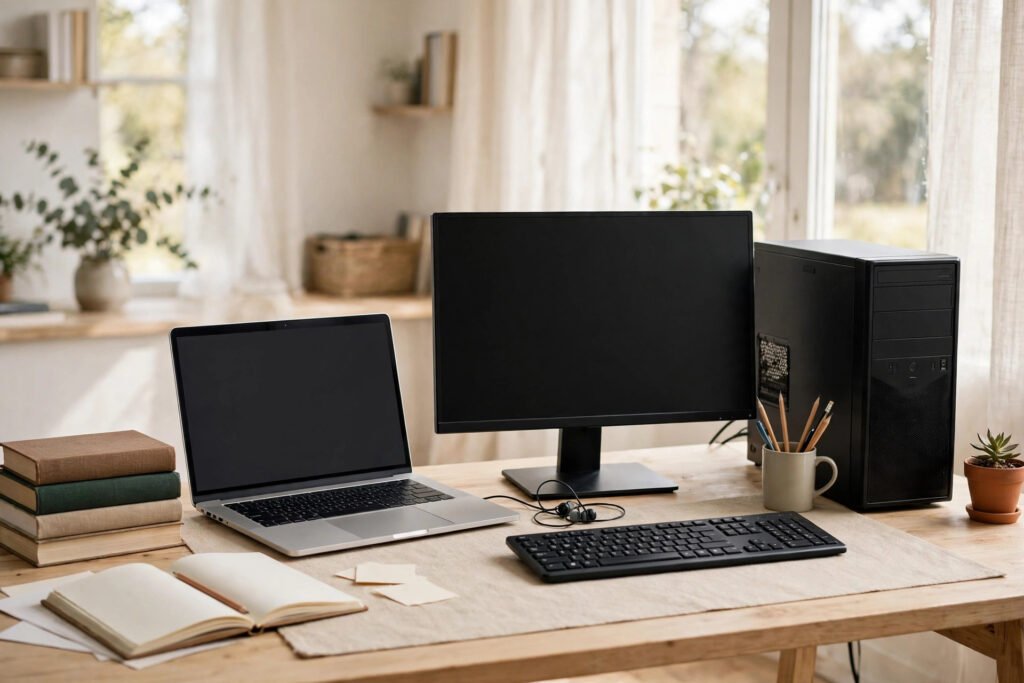
A laptop’s screen, keyboard and trackpad are compromises: smaller screens and cramped keyboards, and hours hunched over a laptop strain neck and back. A desktop lets you choose a large monitor, full-size keyboard and comfortable mouse at proper heights — significant for eight-hour workdays — and you can add a second monitor later. You can also connect a laptop to an external monitor and keyboard at your desk, getting the best of both worlds at the cost of the accessories.
Cost, Lifespan and Resale
Desktops usually cost less for equivalent performance and can serve a family for many years with occasional memory or storage upgrades. Laptops cost more for the same specifications, and their batteries degrade after two or three years, though popular brands in good condition hold resale value well in Pakistan’s second-hand market thanks to student demand. Remember hidden extras: a desktop needs a monitor, keyboard, mouse and possibly a UPS, while a laptop includes all of these — add those costs before deciding which is truly cheaper.
Which One Should You Buy?
Choose a laptop if you travel for study or work, attend classes, work from different places, face frequent power cuts without a UPS, or need one machine for a small space. Choose a desktop if your computer stays on one desk, you do demanding work like editing or gaming, you want the best performance for your budget, you plan to upgrade over time, or several family members will share it. If you can only buy one now, let your daily routine decide, not the specifications sheet.
Practical Tips Before You Buy
Buy from a reputable shop and check warranty terms in writing, including whether service is available in your city. For a second-hand machine, inspect it in person, test the laptop battery, and check all ports and keys. Whatever you choose, prioritise a solid-state drive over a traditional hard drive — it makes the whole computer feel faster — and enough RAM for comfortable multitasking rather than the fastest processor. Keep important files backed up on an external drive or cloud storage.
Frequently Asked Questions
Is a laptop or desktop better for a university student in Pakistan?
A laptop, in most cases. Students need to carry their work to classes, libraries and group study sessions, and the built-in battery helps during power cuts. A desktop only makes sense if the student always works at home.
Can a desktop handle load-shedding?
Yes, but only with a UPS, which gives you time to save work and shut down safely. Without one, a sudden cut interrupts work immediately and risks data loss.
Is a desktop cheaper than a laptop?
Usually, for the same performance, but remember to add the cost of a monitor, keyboard, mouse and possibly a UPS. Once those are included, the gap narrows, especially at the budget end.
Conclusion
Neither a laptop nor a desktop is better in every situation. Laptops win on portability, battery backup and all-in-one convenience. Desktops win on performance per rupee, upgrades, comfort and long-term value. Match the machine to your life: where you work, what you run, how stable your electricity is, and how long you plan to keep it. Buy for the work you actually do, check the warranty, and you will end up with a computer that serves you well for years.