
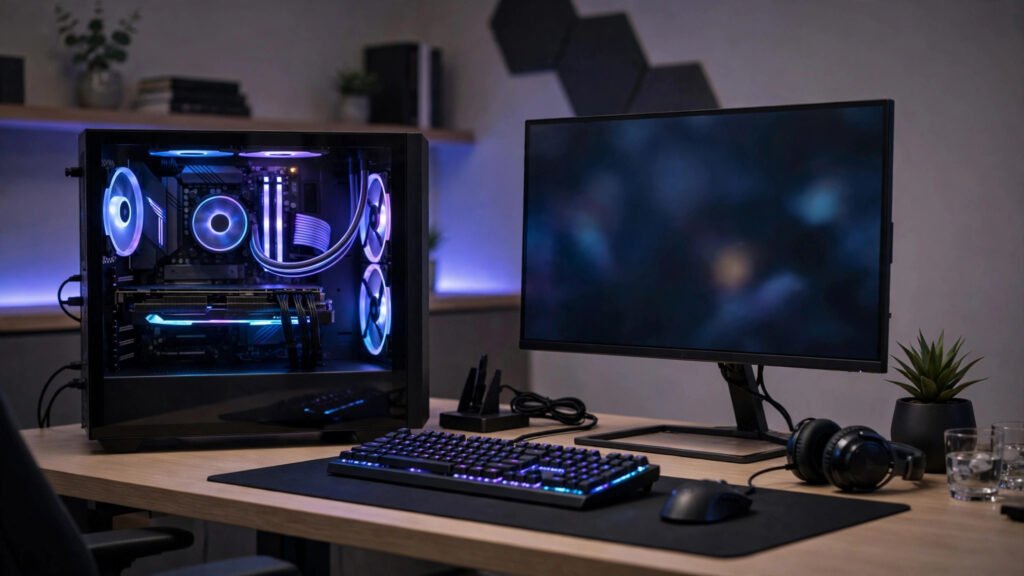
Building a gaming PC in Pakistan can feel overwhelming, especially with fluctuating prices, imported parts, and conflicting advice online. Should you spend more on the graphics card or the processor? Is a used graphics card safe? How much RAM do you really need? This guide answers those questions in plain language, with a focus on balanced spending and safe buying, rather than chasing the most expensive parts. Prices in this guide are planning ranges only, not quotes, because PC prices in Pakistan change with dollar rates, import duties and stock availability. Always confirm current prices from two or three reputable sellers before buying.
Start With Your Games and Your Budget
Before choosing parts, decide what you actually want to play and at what quality. Playing esports titles like PUBG, Valorant, Fortnite or CS2 at 1080p needs far less power than playing the latest AAA games at high settings. A budget PC built for esports and older AAA games can be very enjoyable, while a PC built for ultra settings on new AAA games will cost much more. Set a realistic total budget first, including monitor, keyboard, mouse and speakers if you do not already own them. Many first-time builders forget these costs and overspend on the PC itself. A balanced budget approach is to spend the largest share on the graphics card, followed by processor, then motherboard, RAM, storage, power supply and case, in that order of gaming impact.
The Core Parts Explained Simply
The processor, or CPU, handles game logic, background tasks and overall responsiveness. For budget gaming, a modern mid-range processor with at least six cores is usually enough. Spending extra on a very high-end processor while using a weak graphics card is a common mistake, because games depend more on graphics power. The graphics card, or GPU, renders game visuals and has the biggest impact on frame rates and visual quality. For budget 1080p gaming, a mid-range graphics card with enough video memory for modern games is the sweet spot. Avoid very old or very low-end cards that struggle with current games, even if they look cheap, because you will need to replace them soon. RAM, or memory, affects multitasking and smooth gameplay. Sixteen gigabytes is the practical minimum for gaming in 2026, allowing you to play games while keeping a browser and Discord open. Eight gigabytes can work for light esports titles, but it limits future games. Choose two sticks of RAM rather than one, because dual-channel memory improves performance. Storage affects loading times, not frame rates directly. A solid-state drive, or SSD, is essential: games load much faster, Windows feels responsive, and updates install quicker. A 500 gigabyte SSD is a good starting point, with a larger hard drive added later for extra games if needed. Avoid building a gaming PC with only an old hard drive, because it will feel slow even with good other parts.
Power Supply, Motherboard and Cooling Matter More Than Looks
The power supply, or PSU, converts electricity for your PC and protects expensive parts. Never buy the cheapest unknown power supply to save money. Choose a reputable brand with enough wattage for your graphics card, plus some headroom, and a proper warranty. A faulty power supply can damage other parts or cause random shutdowns. The motherboard connects all parts and determines upgrade options. For budget builds, a reliable mid-range motherboard with the correct socket for your processor, enough RAM slots, and an M.2 slot for an SSD is enough. You do not need the most expensive motherboard for gaming performance, but avoid the cheapest board if you plan to upgrade later. Cooling is often overcomplicated. The stock cooler included with many budget processors is enough for normal gaming, provided your case has decent airflow. Choose a case with front ventilation and at least two fans, keep cables tidy for airflow, and place the PC in a ventilated spot, not inside a closed cupboard. In Pakistani summers, good airflow matters more than RGB lighting.
New vs Used Parts in Pakistan
Buying used parts is common in Pakistan, especially for graphics cards, because it can save significant money. Used parts can be good value, but they carry risks. Always test a used graphics card in person if possible, check temperatures under load, look for physical damage, and ask about warranty or return policy. Avoid cards that were heavily used for mining without proper care, unless the price reflects the risk and the seller is transparent. For other parts, buying new is usually safer. Power supplies, storage drives and motherboards are harder to verify when used, and their failure can damage other components. If your budget is tight, buy a new power supply, SSD and RAM, and consider a carefully tested used graphics card from a reputable shop with a short warranty.
Where to Buy Safely in Pakistan
Buy from reputable computer markets and shops in Lahore, Karachi, Islamabad and other cities, or from trusted online sellers with clear return policies. Hafeez Centre in Lahore, Saddar markets in Karachi, and Blue Area shops in Islamabad are well known, but reputation varies by individual shop, so check reviews and ask other builders for recommendations. Compare prices across two or three sellers for each major part, and be suspicious of deals far cheaper than everywhere else. A suspiciously cheap branded part may be refurbished, repaired, grey import without local warranty, or imitation. Insist on a proper bill, warranty card where applicable, and sealed packaging for new parts. Keep all boxes and bills until you have tested the PC fully, because warranty claims often need them.
Building, Testing and Common Mistakes
If you are building yourself for the first time, watch a complete build guide for your specific parts, work on a clean, static-free surface, and follow the motherboard manual for connections. Install the processor, RAM and SSD on the motherboard first, mount the motherboard in the case, connect power cables carefully, and install the graphics card last. Double-check all power connections before switching on. After building, install Windows and drivers from official sources, update graphics drivers, and test with a game you know well. Monitor temperatures during gaming: consistently very high temperatures suggest poor airflow or cooler installation problems. Run a few games for an hour before considering the build finished. Common mistakes to avoid include buying incompatible parts, such as a processor that does not fit the motherboard socket, forgetting to connect graphics card power cables, using a weak power supply, and spending too much on RGB lighting while cutting corners on the graphics card or power supply. A simple checklist before ordering prevents most of these errors.
FAQ
How much does a budget gaming PC cost in Pakistan? Costs vary widely with dollar rates and stock, but a balanced budget 1080p gaming PC, excluding monitor and accessories, is typically a mid-range investment rather than a cheap purchase. Compare current prices from reputable sellers and prioritise the graphics card and power supply. Is 16GB RAM enough for gaming in 2026? Yes, 16GB is the practical minimum for most modern games and multitasking. It allows gaming with a browser and voice chat open, while 32GB is useful for heavy multitasking and future-proofing if your budget allows. Should I buy a used graphics card in Pakistan? A tested used graphics card from a reputable shop with a short warranty can be good value, but check temperatures, physical condition and return policy in person. Avoid unknown sellers and deals that seem too cheap to be genuine. Do I need a high refresh rate monitor for a budget PC? A 1080p monitor at 75Hz or 144Hz suits most budget builds, depending on your graphics card. A high refresh rate only helps if your PC can actually produce those frame rates in your games, so match the monitor to your PC’s real performance.
Conclusion
Building a budget gaming PC in Pakistan is about balance, not extremes. Choose a capable mid-range graphics card, a solid processor, 16GB of RAM, an SSD, and a reliable power supply, then buy from reputable sellers with proper bills and warranties. Avoid overspending on looks while cutting corners on core parts, and test your build thoroughly before celebrating. With careful planning, a budget PC can deliver smooth, enjoyable 1080p gaming for years, with room to upgrade later as your needs and budget grow.


