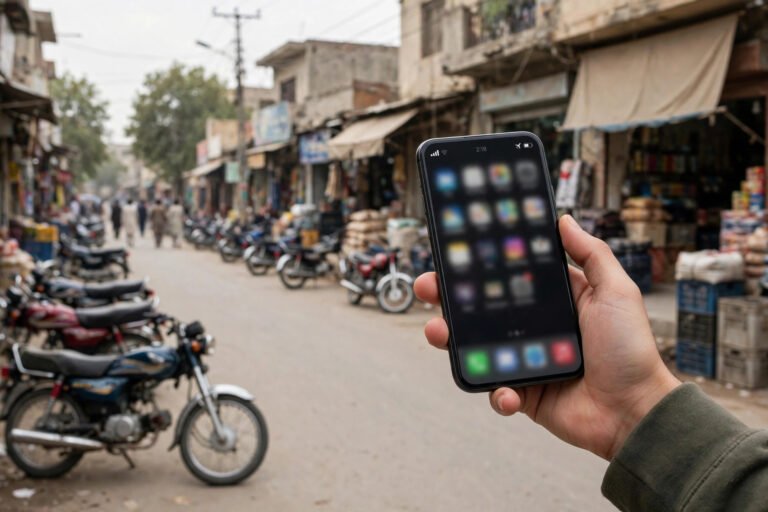
Spam calls and SMS are a daily annoyance in Pakistan — fake prize announcements, loan offers, “your account is blocked” messages, and calls from unknown numbers at odd hours. Worse, some are fraud attempts designed to steal your money or personal information. The good news is that both Android and iPhone have built-in tools to block most of them, and Pakistan’s telecom regulator offers a complaint route for persistent spammers.
This guide shows you exactly what to do, step by step.
First: Know What Kind of Spam You Are Getting
- Marketing calls and SMS: Loan offers, packages, and promotions from companies or agents. Annoying, but usually not criminal.
- Fraud calls and SMS: Messages claiming you won a prize, your bank account is blocked, or a relative is in trouble — always asking you to share a code, pay a fee, or call back. These are scams.
- Silent or missed calls from unknown numbers: Often “wangiri” fraud — if you call back, you are charged premium rates.
Rule one for all three: never share OTP codes, bank details, or CNIC numbers with any caller, no matter how official they sound. Real banks never ask for your OTP.
Block Spam Calls on Android
On most Android phones (Samsung, Xiaomi, Infinix, Tecno, Oppo):
- Open the Phone app and tap the number you want to block.
- Tap Block or Block/report spam. Future calls from that number go straight to voicemail.
- For wider protection, open Phone app settings and turn on Caller ID and spam protection (on Samsung: Caller ID and spam protection; on Pixel: Spam and Call Screen). This flags suspected spam calls automatically.
- To stop unknown numbers entirely, some phones offer Block unknown/private numbers in call settings — useful if spam is severe, though it also blocks genuine unknown callers.
You can also install your network’s official app or a trusted call-blocking app, but check its permissions carefully — a blocking app should not need access to your photos or messages.
Block Spam Calls on iPhone
On iPhone:
- Open Recents in the Phone app, tap the i next to the number, and choose Block this Caller.
- For automatic filtering, go to Settings > Phone and turn on Silence Unknown Callers. Calls from numbers not in your contacts go to voicemail, while your contacts ring normally.
- Turn on Settings > Phone > Call Blocking and Identification for any blocking app you use.
Silence Unknown Callers is powerful but has a trade-off: delivery riders, clinics, and new contacts may go to voicemail. Check voicemail regularly if you use it.
Block Spam SMS on Android and iPhone
For SMS spam:
- Android: In Google Messages, long-press a spam conversation and tap Block, then tick Report spam if offered. In Samsung Messages, open the conversation, tap the menu, and choose Block.
- iPhone: Open the message, tap the sender name, then Info, and choose Block this Caller.
- Filter unknown senders (iPhone): Settings > Messages > Filter Unknown Senders moves messages from strangers to a separate list.
- Never reply “STOP” to a fraud SMS unless you are sure the sender is a genuine company — replying to scammers confirms your number is active.
Report Spam to PTA and Your Network
If the same number keeps spamming you, report it:
- PTA complaint: Pakistan Telecommunication Authority accepts spam complaints through its complaint system and helpline. Provide the spam number, date, and a screenshot of the message. PTA can direct networks to block persistent spammers.
- Your mobile network: Jazz, Telenor, Zong, and Ufone each have complaint channels in their apps and helplines. Reporting helps networks block the number for other users too.
- Bank fraud attempts: If a message pretends to be your bank, forward it to your bank’s official fraud reporting channel as well.
Keep screenshots before deleting spam messages — they are your evidence for complaints.
Extra Protection Habits
- Do not share your number publicly on Facebook posts, classified ads, or public groups unless necessary.
- Use two numbers if possible: one personal number for family and banks, and one for online forms, shopping, and ads.
- Register for Do Not Call options where your network offers them, and ask your network’s helpline about blocking marketing SMS categories.
- Check app permissions: Some apps sell or leak your number. Only install apps you trust, and review which apps can access your contacts.
- Warn family members, especially elderly relatives, about prize and bank-account scams — they are the most common targets.
FAQ
Why do I get spam calls even after blocking numbers?
Spammers use many rotating numbers, so blocking one number does not stop the next. Built-in spam filters and Silence Unknown Callers work better than blocking numbers one by one.
Can PTA really stop spam calls in Pakistan?
PTA can act against reported numbers and directs networks to block persistent spammers, but new numbers appear constantly. Reporting plus phone-level blocking together give the best result.
Should I call back a missed call from an unknown international number?
No. One-ring calls from unknown international numbers are often premium-rate fraud. Do not call back, and block the number.
Is it safe to install a third-party call-blocking app?
Trusted apps from official stores are generally safe, but check permissions and reviews first. A blocking app does not need access to your photos, files, or messages.
Conclusion
Spam calls and SMS will not disappear entirely, but you can cut them to a trickle: turn on your phone’s built-in spam protection, block persistent numbers, silence unknown callers if spam is severe, and report fraud attempts to PTA and your network. Above all, never share codes or bank details with a caller — that single habit protects you more than any app.