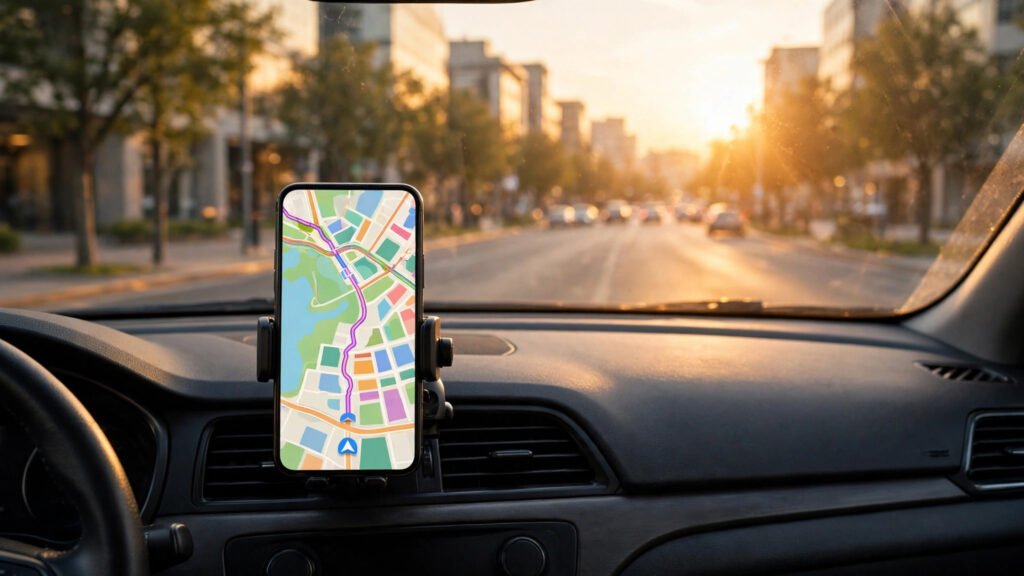
Driving in Pakistan can test even the most patient motorist. One moment you are gliding along the motorway, and the next you are crawling through a crowded bazaar where the street you need has no signboard at all. A good navigation app turns that uncertainty into confidence: it shows the fastest route right now, warns you about jams, and guides you turn by turn so you can keep your eyes on the road. Best of all, the strongest options are free and work well on budget Android phones.
Google Maps: The All-Rounder Every Driver Should Have
Google Maps remains the most complete navigation app for drivers in Pakistan. Its map coverage is the most detailed of any free app, from small residential streets to rural roads and the service lanes beside major highways. Business listings are extensive too, so you can search for a petrol pump, hospital or restaurant along your route and navigate straight to it.
Live traffic is where it earns its place on your home screen. Before you leave, it shows the fastest route and the expected journey time, with red and orange segments marking congested stretches. It suggests alternative routes when an accident or roadwork blocks your usual road, recalculates quickly if you take a wrong turn, and offers clear English voice guidance.
How to Download Offline Maps in Google Maps
Losing your mobile signal at exactly the wrong moment is a familiar frustration on Pakistani roads, whether on motorway stretches between cities, on the hilly road to Murree, or in remote parts of Balochistan and Khyber Pakhtunkhwa. Offline maps solve this, because the app can guide you without any data connection.
Open Google Maps on Wi-Fi, tap your profile picture, and choose Offline Maps. Tap “Select your own map”, drag the box over the area you need, such as Lahore city or the Lahore to Islamabad motorway corridor, name it and tap Download. The map stays on your phone for about a year. Download both your starting city and your destination, and delete old maps if storage is tight. GPS needs no data, so turn-by-turn directions keep working even when your signal bars disappear.
Waze: Crowd-Powered Alerts for City Drivers
Waze uses reports from other drivers on the road right now. When a user passes a traffic jam, a police checkpoint or a hazard, they can report it in a tap, and every other Waze driver nearby sees the warning. For city driving, where conditions change minute by minute, this live information is genuinely useful.
Its speed alerts are a particular strength: Waze shows the speed limit for the road you are on and warns you when you exceed it. It also highlights hazards such as broken-down vehicles and flooded stretches during the monsoon. But coverage is thinner than Google Maps outside the major cities, its community of reporters is smaller here, and there is no offline mode. Use it for your daily commute in Karachi, Lahore or Islamabad, and keep Google Maps ready for longer journeys.
Offline Navigation Apps Worth Knowing
If you regularly drive through areas with weak mobile coverage, a dedicated offline navigation app is worth having as a backup. HERE WeGo offers downloadable maps for Pakistan, turn-by-turn voice guidance and public transport information for some cities. OsmAnd, built on community-maintained OpenStreetMap data, suits drivers who travel off the main highways. Both are free to download.
The trade-off is less detailed business listings and slower traffic updates. But they shine where Google Maps struggles: no signal, expensive mobile data, or a long drive through patchy coverage. Install one before a northern areas trip, download the maps on Wi-Fi, and you will never be stranded without directions.
City Driving or Motorway: Which App Suits Your Journey?
For daily city driving, Google Maps and Waze are both strong. Google Maps wins on coverage and finding specific addresses, shops and services, while Waze edges ahead on live hazard reports and speed alerts in heavy traffic.
For motorway and intercity travel, Google Maps is the clear winner. Its offline maps, accurate motorway coverage and fuel station search make long journeys far less stressful. Before leaving, download the offline map for the whole route, check traffic, and look up petrol pumps and rest stops. For rural or mountainous routes, add a dedicated offline app as a backup, and carry a car charger, because navigation drains your battery quickly.
Saving Mobile Data and Staying Safe
Download offline maps over Wi-Fi before you travel, and switch on the “Wi-Fi only” option in Google Maps so the app does not use mobile data for downloads.
Set your destination before you start driving: enter the address, check the route and start voice guidance while the car is still parked. Once moving, let the voice instructions guide you and do not look at the screen to type or scroll. Use a proper phone mount so the phone is at eye level and your hands stay free, and pull over safely if you need to change the destination.
Road names and house numbers are often missing, so navigate to a nearby landmark, mosque, market or petrol pump instead. In older parts of cities, check the route preview before following an app down a lane your car cannot pass, and during the monsoon, be cautious about underpasses and low-lying roads that flood quickly. Keep your phone charged and carry a power bank on long trips.
Frequently Asked Questions
Is Google Maps free to use in Pakistan?
Yes, Google Maps is completely free to download and use in Pakistan. You only pay for the mobile data it uses, so downloading offline maps over Wi-Fi saves your data package.
Can I use Google Maps without the internet?
Yes. If you download an offline map for your area in advance, Google Maps can give you turn-by-turn directions with GPS alone. Live traffic updates, however, need an internet connection.
Is Waze available and useful in Pakistan?
Waze is available in Pakistan and works well in Karachi, Lahore and Islamabad, where enough drivers report traffic and hazards. Its coverage is thinner in smaller towns and rural areas.
Which navigation app uses the least mobile data?
Offline navigation apps and Google Maps with downloaded offline maps use the least data, because the maps are stored on your phone. Live features such as traffic updates always use some data.
Conclusion
The best navigation setup for a driver in Pakistan is not a single app but a smart combination. Google Maps should be your main tool, with its coverage, traffic information and offline maps. Add Waze for city commutes, keep an offline app as a backup for remote routes, and always set your destination before you start driving.