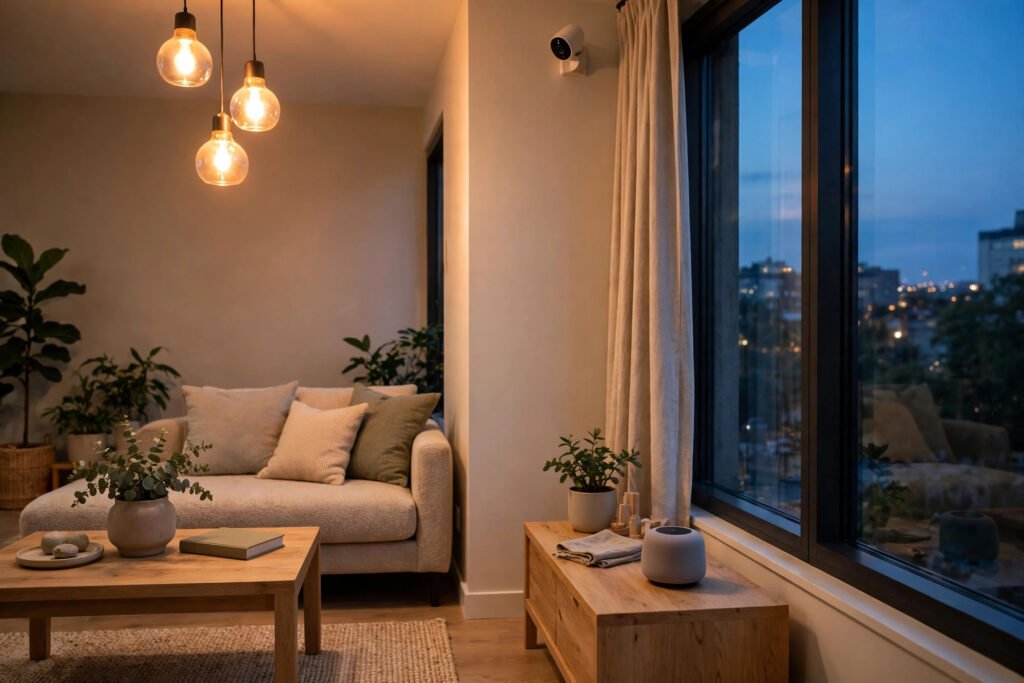
A smart home sounds like something from a film: lights that switch on by themselves, a speaker that plays music on request, and a camera that lets you check on your home from anywhere. In Pakistan, that idea is now within reach for ordinary families, as prices have come down and setup has become simpler.
This guide is for beginners: what a smart home is, which devices are worth buying first, and how to start small without wasting money.
What Is a Smart Home?
A smart home is a home where everyday devices connect to your Wi-Fi and can be controlled from your phone or by voice. Instead of walking to a switch, you tap an app or say a command.
You do not need to automate your whole house at once. Most people in Pakistan start with one room and add one device at a time.
Start With These Beginner Devices
You do not need ten gadgets to begin. Four types of device cover most of what a beginner needs.
Smart bulbs
A smart bulb fits into a normal bulb holder and connects to your Wi-Fi. From your phone you can switch it on or off, dim it, change its colour, or set a timer — on at Maghrib, off at bedtime. Start with one or two in the room you use most. No wiring, no electrician: the easiest first step.
Smart plugs
A smart plug sits between a wall socket and an ordinary appliance, such as a fan, a lamp or a mobile charger, and turns it into a smart one: switch it on or off remotely, or set a schedule. Set a fan to switch off after a few hours, or switch on a light before you reach home. Cheap, simple and practical.
Smart speakers
A smart speaker is a small speaker with a voice assistant built in. Ask it to play music, tell you the weather, set an alarm for Fajr, or control your smart bulbs and plugs by voice. Use short, simple English commands — voice assistants understand those best. Buy it after bulbs and plugs, not before.
Smart cameras
A smart camera lets you see your home, shop or office from your phone, wherever you are. Many record video, send an alert when they detect movement, and allow two-way talking, so you can speak to someone at your door. Choose one with night vision and a clear app, and place it where it covers the entrance without pointing into a neighbour’s home.
Smart switches and sensors
Once the basics are working, add a smart switch for a ceiling fan or light, a door sensor, or a motion sensor that switches on a light when someone enters a room. These are second-stage devices — add them when you know exactly what problem you want them to solve.
What Works Well in Pakistan — and What to Watch For
Wi-Fi matters more than the device
Almost every smart device depends on your Wi-Fi. If your router is in one room and the smart bulb is two rooms away, the connection may drop. Place your router centrally, use a Wi-Fi extender if your home is large, and prefer the 2.4 GHz band, which reaches further through walls than 5 GHz.
Load shedding and power cuts
Load shedding is a reality in many parts of Pakistan. When the power goes out, most smart devices switch off, and some need a moment to reconnect when power returns. Devices on a UPS or solar inverter keep working, but ordinary bulbs and plugs will not.
Voltage and quality
Pakistan’s voltage can fluctuate, especially in older neighbourhoods. Buy from known brands and authorised sellers, and avoid the cheapest unbranded options, which may overheat or fail early. Prices vary by brand and seller, so confirm the current price before buying.
How to Start Small: One Room, One App
The most common beginner mistake is buying five different brands at once and ending up with five different apps. Start with one room and, where possible, one app family. Pick the living room, add one smart bulb and one smart plug, and use them for a week.
When you buy, check three things: does the device work with Google Home or Alexa, does its app have good reviews, and does the seller offer support in Pakistan? Give each device a clear name in the app, such as “Living Room Bulb”, so voice commands work the first time.
App Control and Voice Control Basics
App control is simple: open the app, tap the device, and switch it on or off. You can also create routines, such as a “Good Night” routine that switches off all lights and plugs at once. With Google Assistant or Alexa, say “turn off the living room light” without reaching for your phone. Keep commands short and use the exact device name.
Privacy and Safety Tips
Smart devices listen, watch and collect data, so privacy matters. Buy from known brands, keep the software updated, and use a strong, unique password for the app account, with two-factor authentication where available. Do not put a camera in a bedroom or bathroom, and tell family members and domestic staff where cameras are installed.
FAQ
Do smart home devices need the internet all the time?
Most do. They use your home Wi-Fi to receive commands from your phone, so remote control and voice commands need the internet.
Can I use Google Home and Alexa devices in Pakistan?
Yes, in most cases, for music, alarms, weather, general questions and controlling compatible smart devices. Some region-specific features may not be available.
What is the best first smart home device to buy in Pakistan?
A smart bulb or a smart plug is the best first buy: affordable, easy to install and immediately useful. A speaker is a good second purchase; a camera comes later, when you want home security.
Will smart devices work during load shedding?
It depends on your power backup. Devices on a UPS or solar system keep working, while devices on ordinary sockets switch off. Choose devices that reconnect automatically and remember their settings.
Conclusion
Starting a smart home in Pakistan is simpler than it looks. Begin with one room, one app and one or two devices: a smart bulb, a smart plug, and later a speaker or a camera if they fit your needs. Plan for Wi-Fi coverage and power cuts, buy from trusted sellers, and protect your accounts with strong passwords.