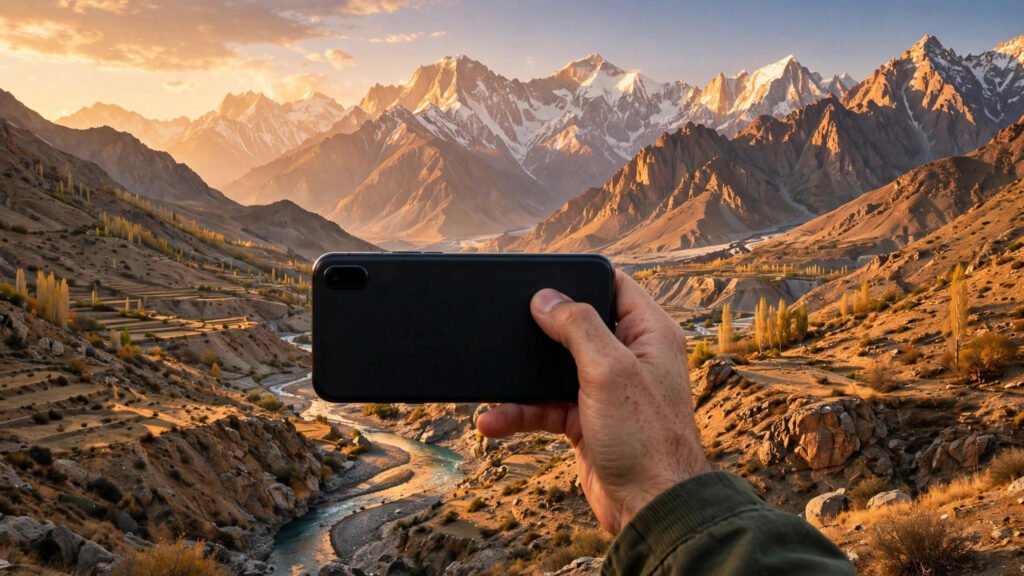
You do not need an expensive camera to take beautiful photos in Pakistan. Modern iPhones, even older models, have powerful cameras that can capture stunning family moments, food, landscapes, weddings and street scenes, provided you use a few basic techniques. Most disappointing iPhone photos are not caused by the phone, but by poor light, shaky hands, cluttered backgrounds or rushed tapping. This guide shares simple, practical iPhone photography tips that work in Pakistani light, homes, bazaars and outdoor locations, without requiring professional equipment.
Start With Light: The Most Important Ingredient
Photography is essentially capturing light, so light matters more than any setting. The best natural light in Pakistan is usually early morning and late afternoon, when sunlight is soft, warm and flattering. Midday sun, especially in summer, creates harsh shadows and squinting faces, so move into shade or wait for softer light when possible. For portraits, face the person towards soft light, such as near a window or in open shade, rather than with harsh sun behind them. If the background is very bright, tap on the person’s face on screen to set focus and exposure, then slide the sun icon down slightly to avoid overexposure. For indoor photos, move closer to windows during the day, and avoid mixing yellow tube lights with daylight, which can create strange colour casts. At night, use available light creatively: shop lights, fairy lights, street lights and restaurant lamps can create beautiful backgrounds. Hold the phone steady, avoid using flash for people at close range, and let Night mode work by keeping still for a few seconds. A small tripod or resting the phone on a stable surface helps greatly for night shots.
Composition: Simple Rules That Instantly Improve Photos
Turn on the grid in iPhone Settings, then Camera, then Grid. This divides your screen into nine sections and helps you use the rule of thirds: place your main subject slightly off-centre, along a grid line or intersection, rather than always in the middle. This simple change makes photos feel more natural and professional. Keep backgrounds clean. Before taking a photo, look behind your subject for distracting poles, bins, wires or strangers walking past. A step to the left or right, or moving closer, often removes clutter instantly. For family photos, choose a plain wall, garden, park or scenic background rather than a messy room. Fill the frame for portraits and food. Move closer instead of zooming digitally, which reduces quality. For landscapes like Hunza, Murree or the Margalla Hills, include something in the foreground, such as a tree, road or person, to give a sense of scale and depth.
Use Portrait Mode, Panorama and Other Built-In Tools
Portrait mode is excellent for people, pets and products, because it blurs the background and makes the subject stand out. It works best in good light, with some distance between subject and background. For best results, keep the subject still, tap to focus on the face, and avoid Portrait mode in very dark rooms, where it can blur edges unnaturally. Panorama mode suits wide landscapes, bazaars and large family gatherings where one frame is not enough. Move slowly and steadily from one side to the other, keeping the phone level. Avoid panoramas with fast-moving people, who may appear distorted. For moving subjects like children playing or cricket in a park, use Burst mode by holding the shutter button, then choose the sharpest frame later. For videos, hold the phone horizontally for YouTube and TV viewing, or vertically for Instagram Reels and TikTok, depending on where you plan to share it.
Photographing Food, Family and Weddings in Pakistan
Food photography is popular in Pakistan, from desi dishes at home to restaurant meals and street food. Photograph food in natural light near a window, from above or at a slight angle, and keep the plate clean. Avoid using flash, which makes food look flat and shiny. A simple, uncluttered table and one or two props, such as a cup of chai, look better than a crowded table. For family photos, capture natural moments, not just posed smiles. Photograph children playing, grandparents laughing, or family members cooking together. These candid shots often become the most treasured memories. For group photos, use the timer or a tripod, stand at the same level as the group, and take several shots so everyone has at least one good expression. At Pakistani weddings, light changes constantly between bright stages, coloured lights and dark halls. Use Portrait mode for close portraits in good light, avoid flash when it disturbs the event, and take many shots in bursts during dances and entrances. Respect privacy: ask before photographing strangers closely, especially women and children, and never share someone else’s photos without permission.
Steady Hands, Clean Lens and Storage Tips
A clean lens makes a surprising difference. Pakistani dust, fingerprints and humidity can blur photos without you noticing. Wipe the lens gently with a soft, clean cloth before important shots, especially after keeping the phone in a pocket or bag. Hold the phone with both hands, tuck your elbows close to your body, and breathe out gently before tapping the shutter. For low-light shots, rest the phone on a wall, table or railing. Use the volume button as a shutter button for steadier shots, or use a cheap phone tripod for family photos and time-lapses. Manage storage proactively. iPhone photos and videos fill storage quickly, especially in 4K. Back up regularly to iCloud, Google Photos or a computer, and delete duplicate, blurry and accidental shots weekly. Before weddings, trips or important events, free up space so you do not run out mid-event.
Simple Editing That Makes Photos Shine
Good editing enhances a photo without making it look fake. In the iPhone Photos app, start with Auto, then adjust exposure, brilliance and warmth slightly. Increase sharpness a little for landscapes, and reduce highlights if the sky looks too bright. Avoid over-saturating colours, over-smoothing skin, or adding heavy filters that make Pakistani skin tones look unnatural. For a consistent look on Instagram, use the same light editing style across photos rather than a different heavy filter each time. Edit on a copy if you are unsure, and keep originals backed up. Remember that editing cannot fix a very blurry or badly exposed photo, so getting light and focus right while shooting matters most.
FAQ
Which iPhone camera setting is best for beginners in Pakistan? Start with Photo mode, grid on, and Live Photos off for everyday shots to save storage. Use Portrait mode for people in good light, and Night mode automatically at night by holding still. Why do my iPhone photos look blurry at night? Night photos blur mainly from hand movement and low light. Hold the phone steady, rest it on a surface, avoid zooming, and let Night mode finish its countdown without moving. Should I use flash for indoor family photos? Avoid direct flash for people where possible, as it creates harsh shadows and red eyes. Move near a window, turn on room lights, or use Night mode instead for softer, more natural results. How can I take better photos of Pakistani landscapes? Shoot in early morning or late afternoon light, use the grid and rule of thirds, include a foreground object for depth, keep the horizon straight, and clean your lens before shooting.
Conclusion
Using your iPhone camera like a pro in Pakistan is not about buying accessories or learning complicated settings. It is about using good light, composing carefully, keeping your lens clean and hands steady, and editing lightly. Practise these habits on daily walks, family gatherings and food at home, and your photos will improve quickly. The best camera is the one you carry every day, so learn to use it well and capture Pakistan’s colours, faces and moments beautifully.